
Cloudflare Protective DNS
This document provides a comprehensive technical outline and implementation plan for deploying Cloudflare's Protective DNS solution. This solution can be useful when an organization has multiple Zero Trust accounts and wants to implement a global DNS filtering policy across all accounts.
For the purposes of this article the term Parent will be used to designate the top level account where the global filtering policy will apply from. The term Child will be used to designate any of those accounts that will be sending thier DNS queries to the Parent.
Overview
Cloudflare's Protective DNS enhances security and filtering at the DNS level, safeguarding users from malicious domains and content before a connection is established. The service ensures that all child account users are protected through policy applied at the parent account level.
Key Features
- Threat Intelligence: Blocks malicious domains with real-time threat data.
- Content Filtering: Restricts access to specified domains, content, or security categories.
- Analytics & Reporting: Offers detailed insights into DNS traffic and security events.
- DNS Encryption: Supports DNS over HTTPS (DoH) and DNS over TLS (DoT).
Technical Architecture
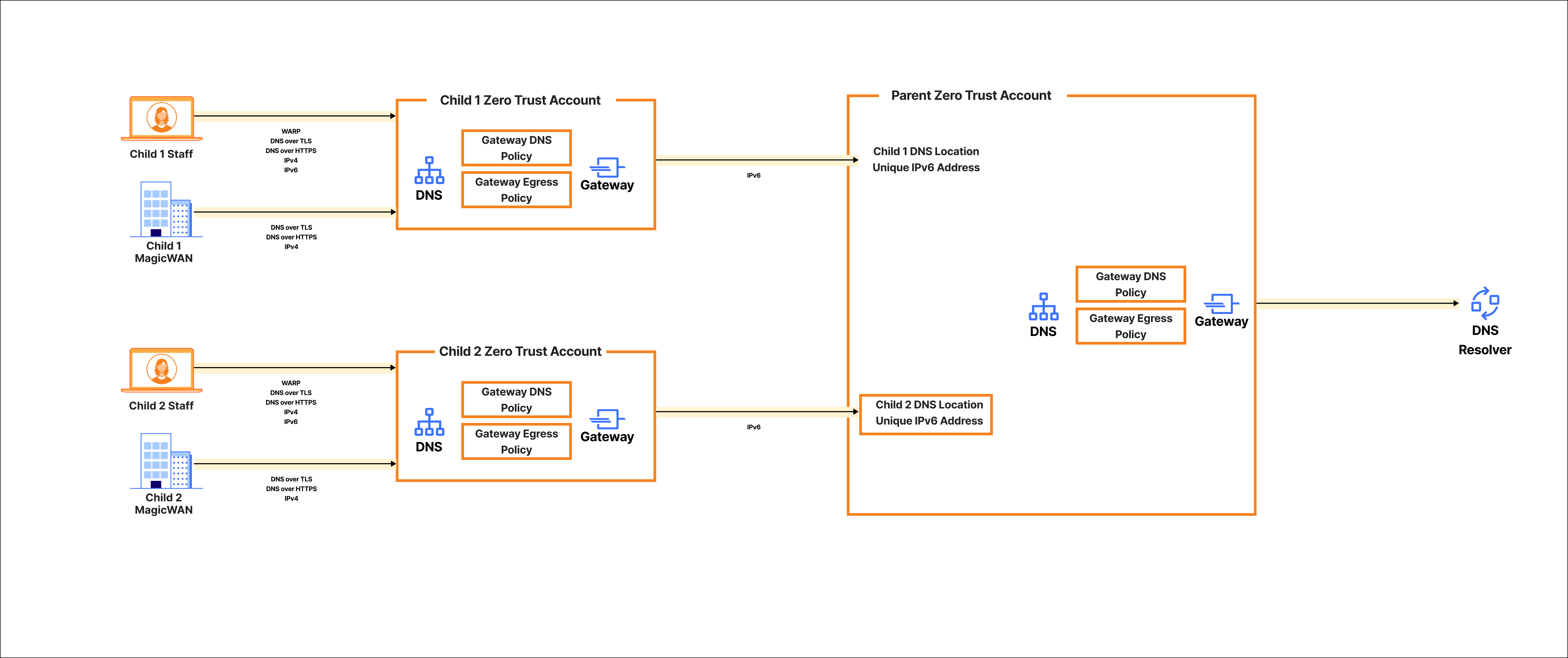
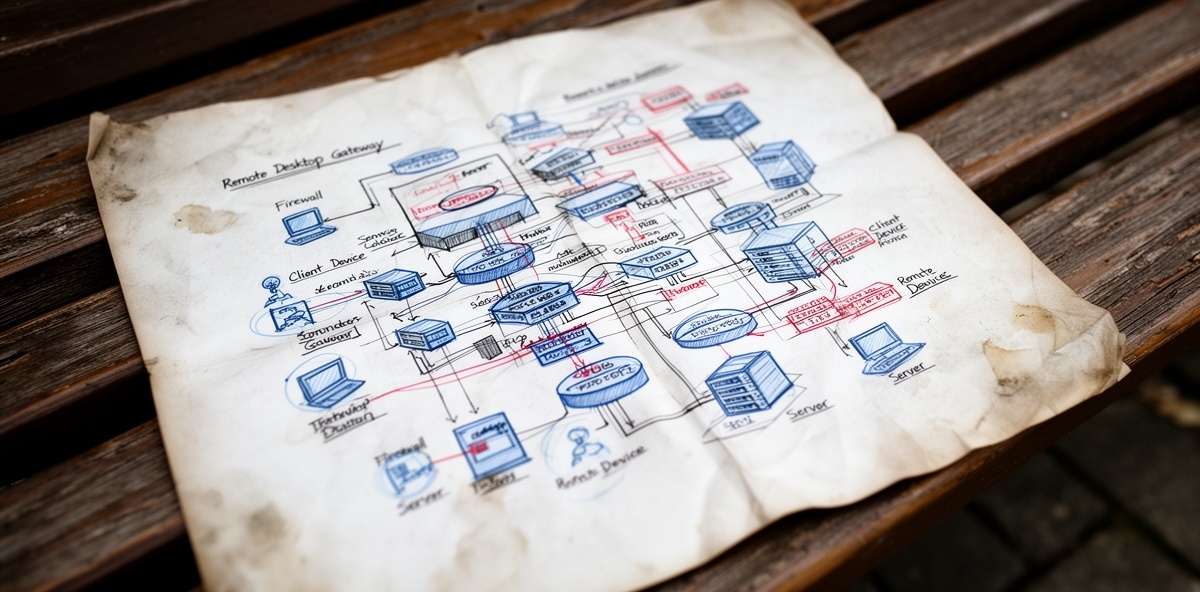
The solution uses Cloudflare Gateway DNS policy combined with account specific DNS locations, WARP, and MWAN as the on-ramp for DNS queries into the Child account. Within each Child account's Zero Trust configuration is a Resolver Policy that forwards all DNS queries to a unique IPv6 DNS resolver address created by defining Child specific DNS locations in the Parent's Zero Trust account.
DNS Resolution Process
- User device sends DNS query to Child Gateway Resolver.
- Cloudflare checks against the filtering policy applied at the Child level.
- If malicious, Cloudflare blocks the request and may return a block page. If allowed then Child Resolver Policy will forward the DNS query to the Child specific Gateway resolver within the Parent account.
- DNS requests will be evaluated by the Parent level filtering policy and either allowed to resolve using 1.1.1.1 or a custom DNS resolver.
Architecture Diagram
Integration Methods
The solution integrates with devices and networks via:
- DNS over HTTPS (DoH): Encrypts DNS queries.
- DNS over TLS (DoT): Offers encryption for enhanced privacy.
- Traditional DNS over IPv4 and IPv6: Supports standard DNS protocol.
Implementation Plan
Phase 1: Parent Configuration
- Account Setup: Create and configure Parent Cloudflare account.
- DNS Locations: A unique DNS location per Child will be created within the Parent Zero Trust account. Only the IPv6 endpoint will be required on the Parent configuration.
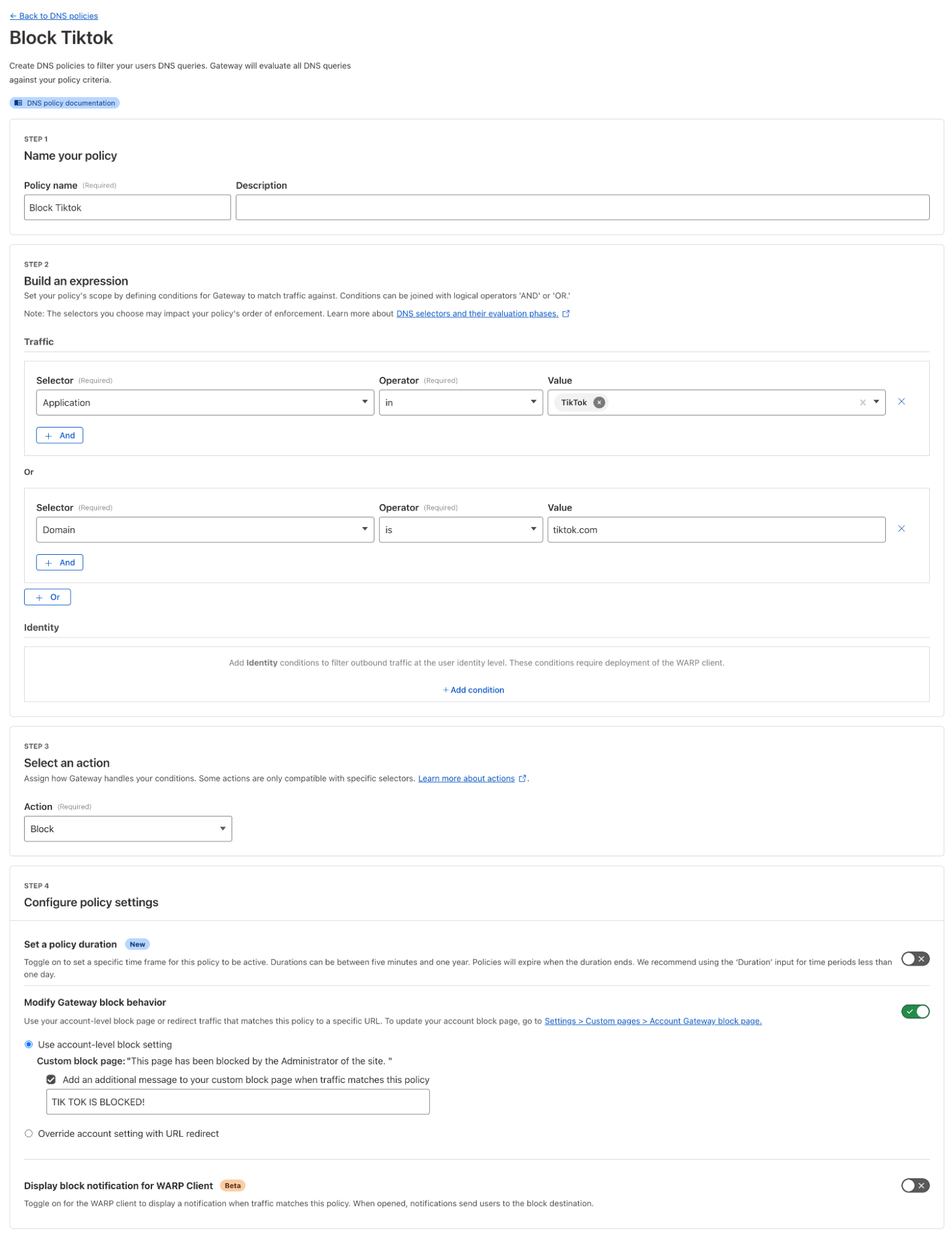
There will be no configuration for the Endpoint protection IPv6 filtering.IPv6 Endpoint Filtering is now supported! - Policy Implementation: Configure content filtering and threat intelligence rules via Cloudflare dashboard/API. Example shown below:
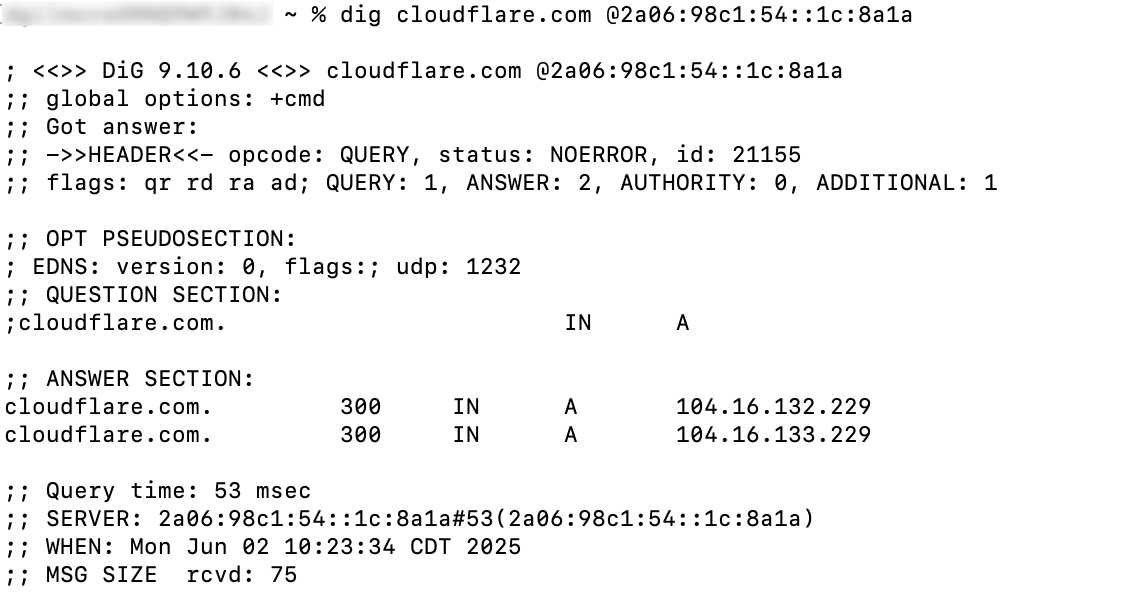
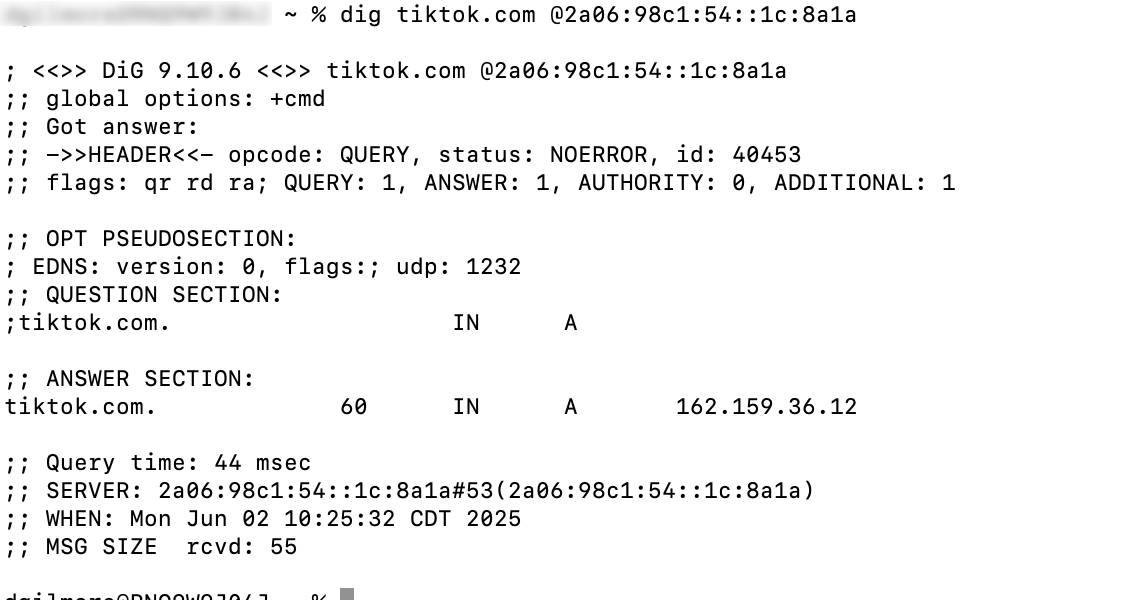
- Testing: Verify DNS resolution and filtering with test queries pointed to the IPv6 resolver.
- Example of a successful query:
- Example of an unsuccessful query:
Phase 2: Child Configuration
- Account Setup: Create and configure Child Zero Trust account.
- DNS Location: A Child DNS location is required for MWAN and non-WARP on-ramps.
- For the Child DNS location on the Child account IPv4 filtering should be configured:
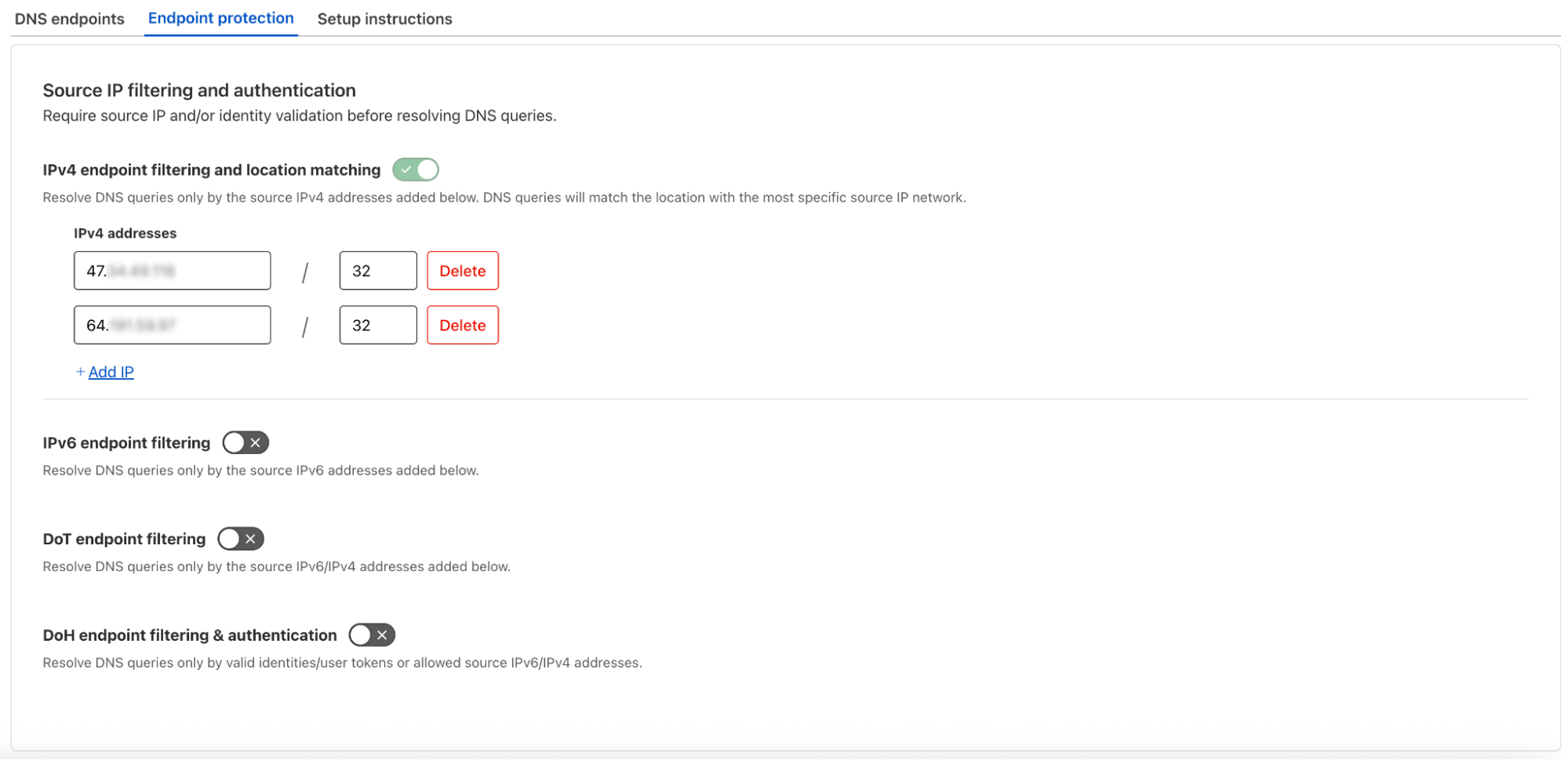
- Resolver Policy: A resolver policy will be created within each Child account that will forward all Gateway DNS requests to the unique IPv6 resolver address that was created within the Parent account for each specific Child.
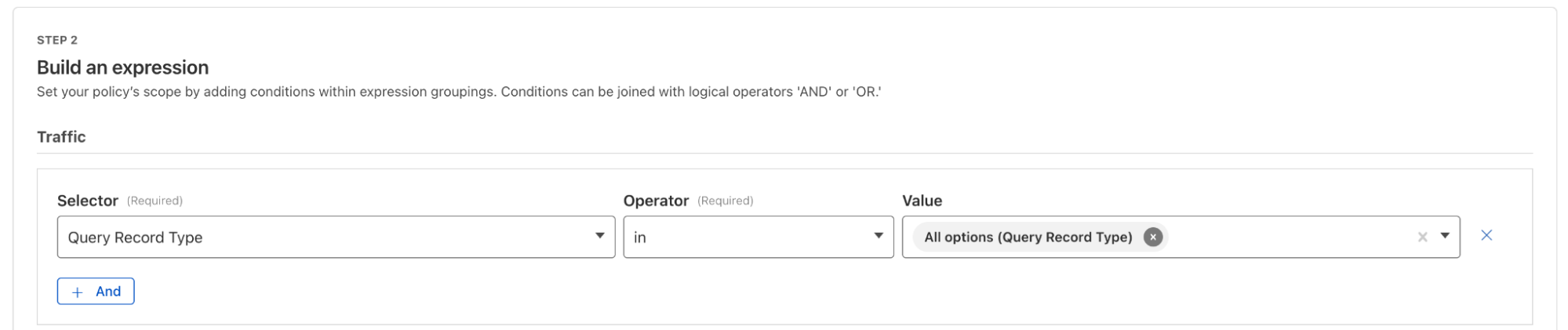
- Testing: Verify DNS resolution and filtering with test queries pointed to the IPv4 resolver addresses specified in the Child DNS Location on the Child account.
Phase 3: Child Device Configuration
- WARP Deployed Devices: Child devices will be enrolled in the Child account as per normal device deployment rollout strategy. Generally this consists of using MDM tools, SCCM, or InTune along with the MDM XML or plist file containing the configuration for the Child Zero Trust account.
- Non-WARP Devices NOT behind MWAN Tunnel: Child devices that will not be enrolled in Zero Trust via WARP will need to be configured to use either the IPv4 or IPV6 resolvers listed in the Child DNS location. If using IPv4 it is important to ensure that the egress IP address of the devices are listed within the Endpoint Protection configuration.
- MWAN Tunnel Devices: Similar to the non-WARP devices, clients behind MagicWAN will need to be configured to point to the IPv4 shared Gateway DNS resolvers. Then Egress policies will be used to egress the MWAN traffic from the Child's dedicated Gateway Egress IP. Policy example shown below:
Implementation Considerations
IPv6 Filtering at the Parent Level
DNS Request will not egress the Child DNS Gateway from the Static Egress IPs assigned to the Child accounts. As a result at the Parent level DNS location configuration no IPv6 filtering will be performed.
Identity at the Parent Level
As the DNS requests will first be evaluated at the individual Child account level, when the DNS requests egress the Child DNS Gateway identity information will not be retained. On the Parent account DNS requests will show source IPs of a Cloudflare IPv6 address only. To correlate a Block request with identity the Parent will require Child account level logs.
On the Parent account the Block will show up as expected:
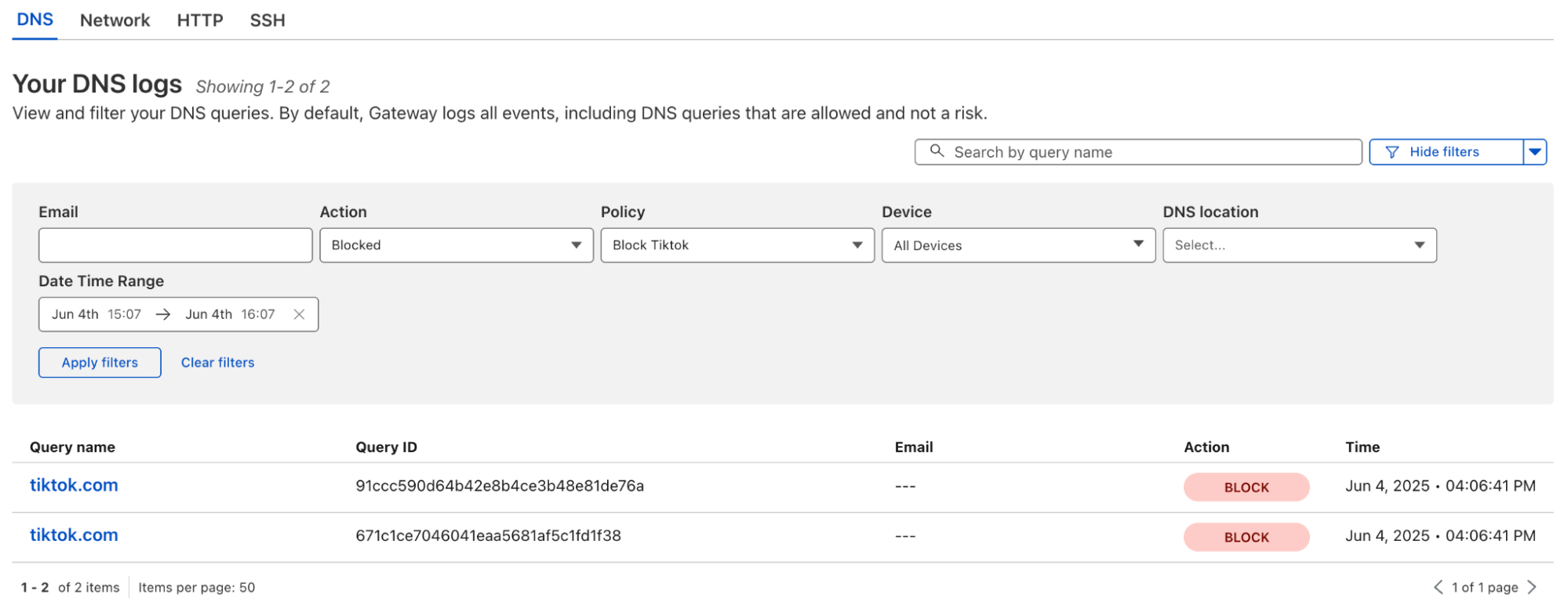
On the Child account the DNS request can then be correlated with Identity (if WARP is being utilized):
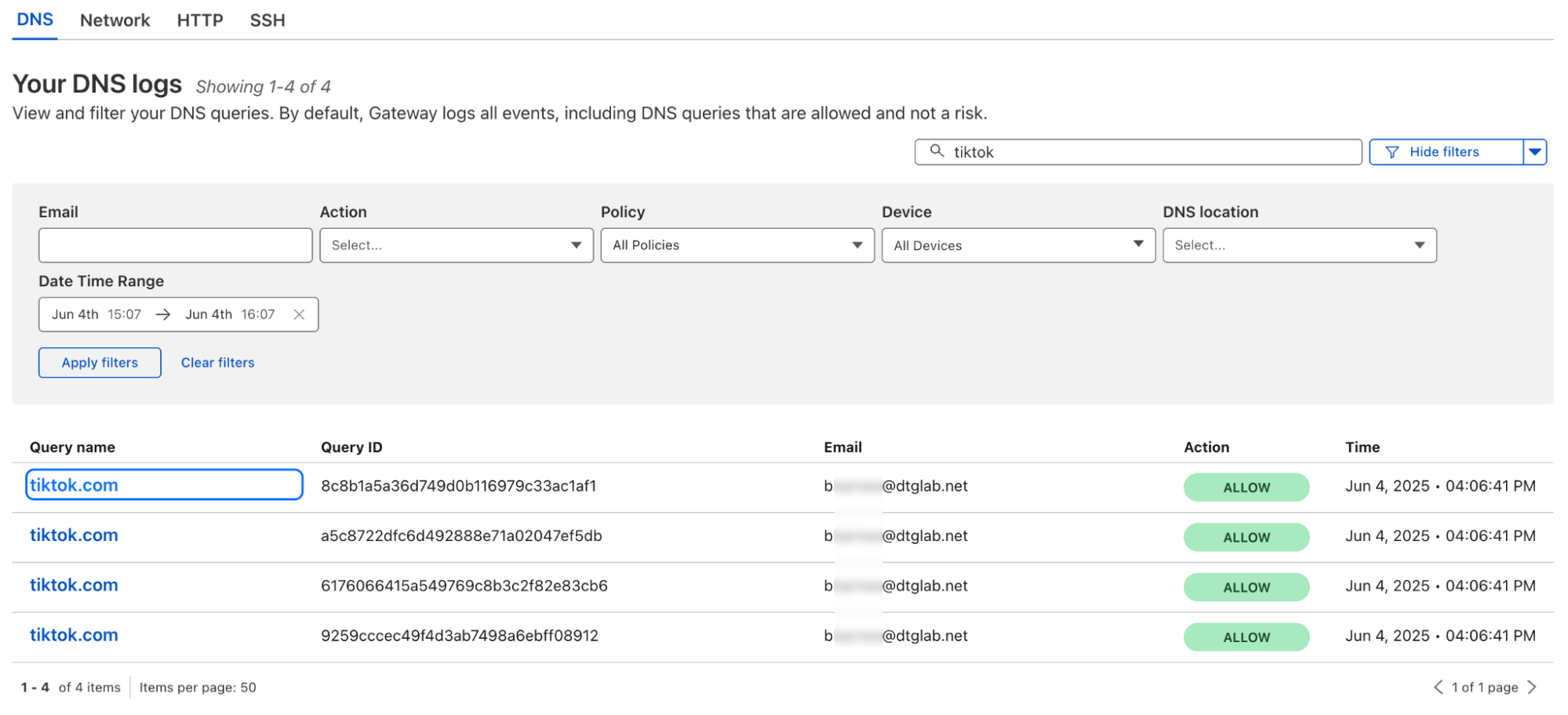
Exceptions to Policy
Should the need arise for a group of Child users to be exempted from policies dictated at the Parent level a new "Exemption" DNS location will need to be created at the Parent level, and a corresponding Gateway policy allow access to the otherwise blocked domain.
Related posts

Leave a Comment
Your comment will be reviewed before appearing on the site.
Comments
Be the first to comment on this post!