
Zero Trust SCIM Setup
What is SCIM?
System for Cross-Domain Identity Management (SCIM) is an open standard protocol for automating the exchange of user identity information between identity domains and IT systems. SCIM ensures that employees added to the Human Capital Management (HCM) system automatically have accounts created in Azure Active Directory (Azure AD) or Windows Server Active Directory. User attributes and profiles are synchronized between the two systems, updating removing users based on the user status or role change.
SCIM is a standardized definition of two endpoints: a /Users’ endpoint and a /Groups endpoint. It uses common REST verbs to create, update, and delete objects. It also uses a pre-defined schema for common attributes like group name, username, first name, last name, and email. Applications that offer a SCIM 2.0 REST API can reduce or eliminate the pain of working with proprietary user management APIs or products. For example, any SCIM-compliant client can make an HTTP POST of a JSON object to the /Users endpoint to create a new user entry. Instead of needing a slightly different API for the same basic actions, apps that conform to the SCIM standard can instantly take advantage of pre-existing clients, tools, and code.
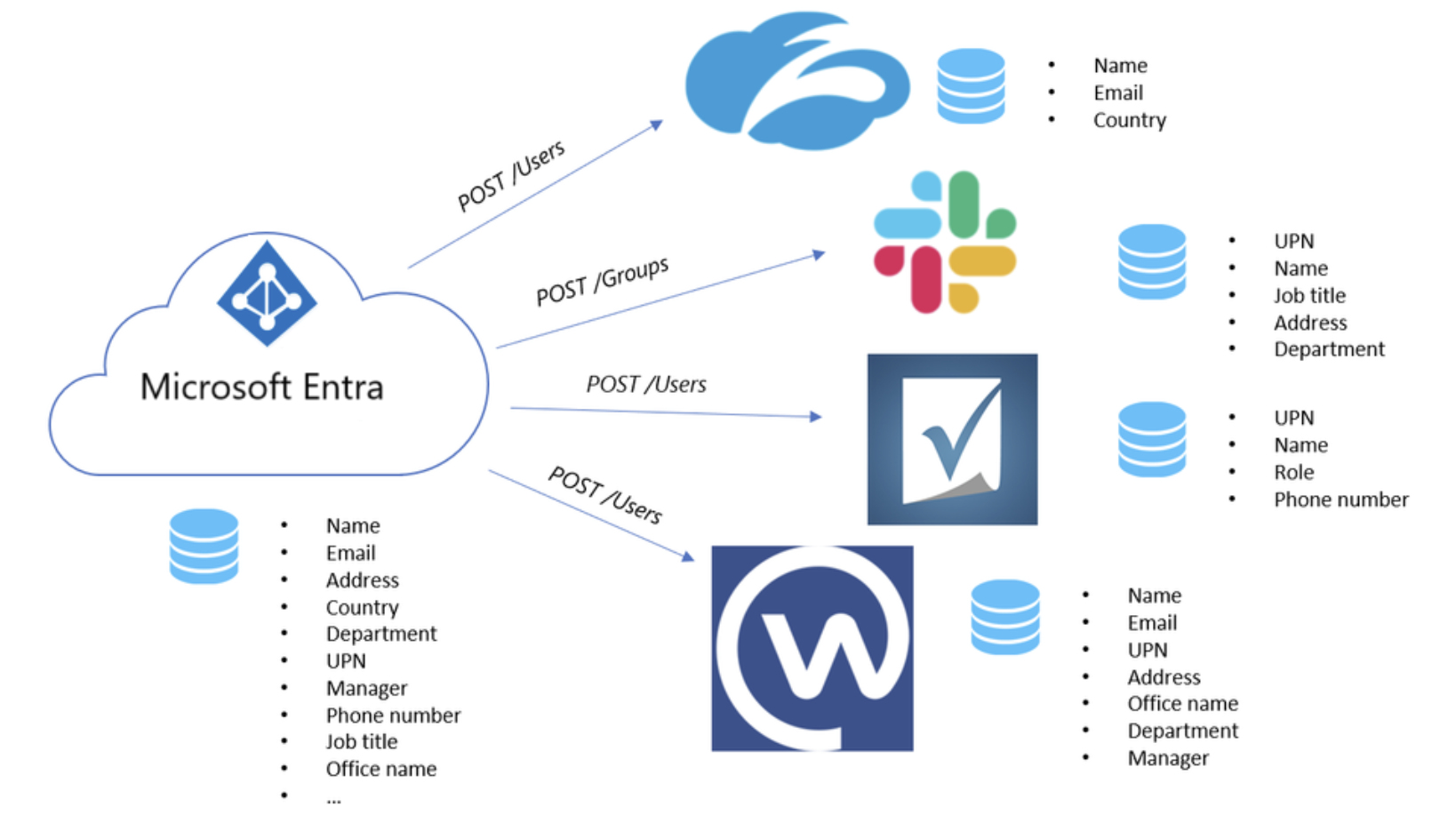
Cloudflare Access and Gateway Support SCIM
Cloudflare Zero Trust can now leverage SCIM with AzureAD and Okta for all SAML and OIDC configured identity provider that support SCIM version 2.0.
Cloudflare Access provides secure access to your internal applications and resources. It integrates with your existing identity provider to enforce strong authentication for users and ensure that only authorized users have access to your organization’s resources. After a user successfully authenticates via the identity provider, Access initiates a session for that user. Once the session has expired, Access will redirect the user back to the identity provider.
Similarly, Cloudflare Gateway is a comprehensive secure web gateway (SWG) which leverages the same identity provider configurations as Access to allow administrators to build DNS, Network, and HTTP inspection policies based on identity. Once a user logs in using WARP client via the identity provider, their identity is logged and evaluated against any policies created by their organization’s administrator.
In the example below AzureAD is being used.
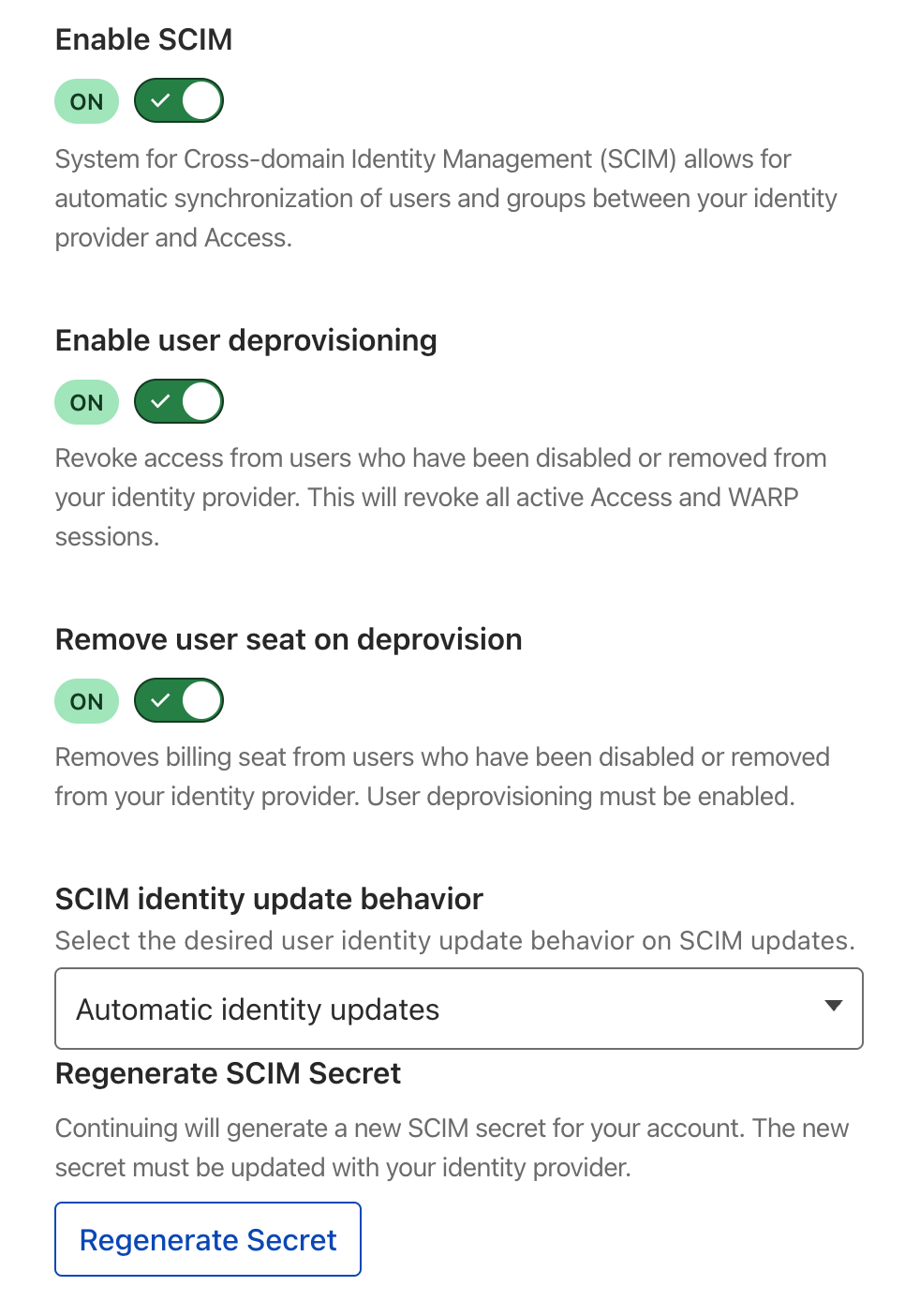
Within the AzureAD configuration menu (Setting->Authentication->AzureAD) the following options are now available:
Within AzureAD you will need to configure a separate Enterprise Application (different than the one used to initially configure AzureAD with CF Zero Trust).
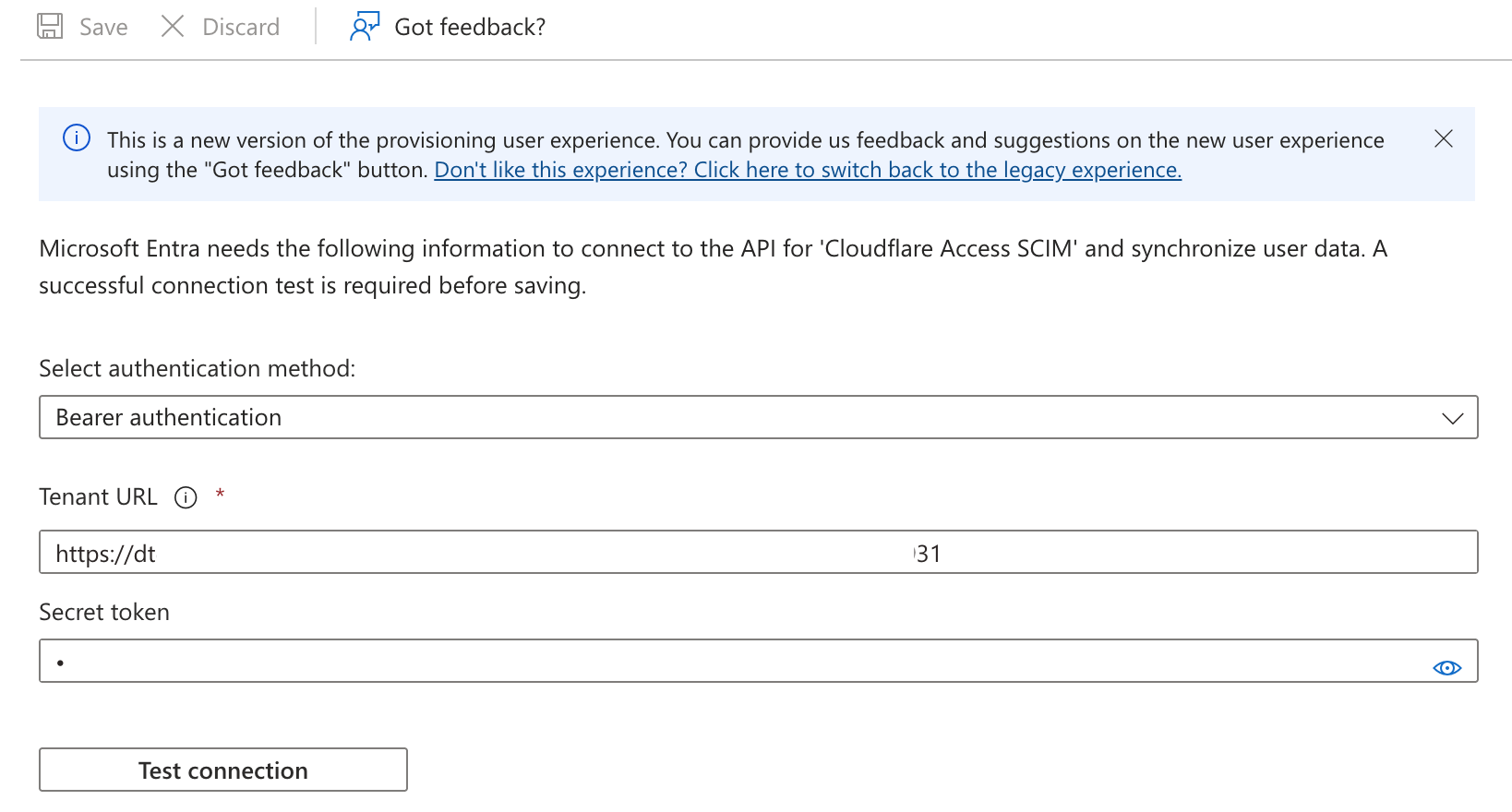
Under the Provisioning -> Edit Provisioning the following will be available. Using the secret generated in the Cloudflare Zero Trust, create the SCIM endpoint.
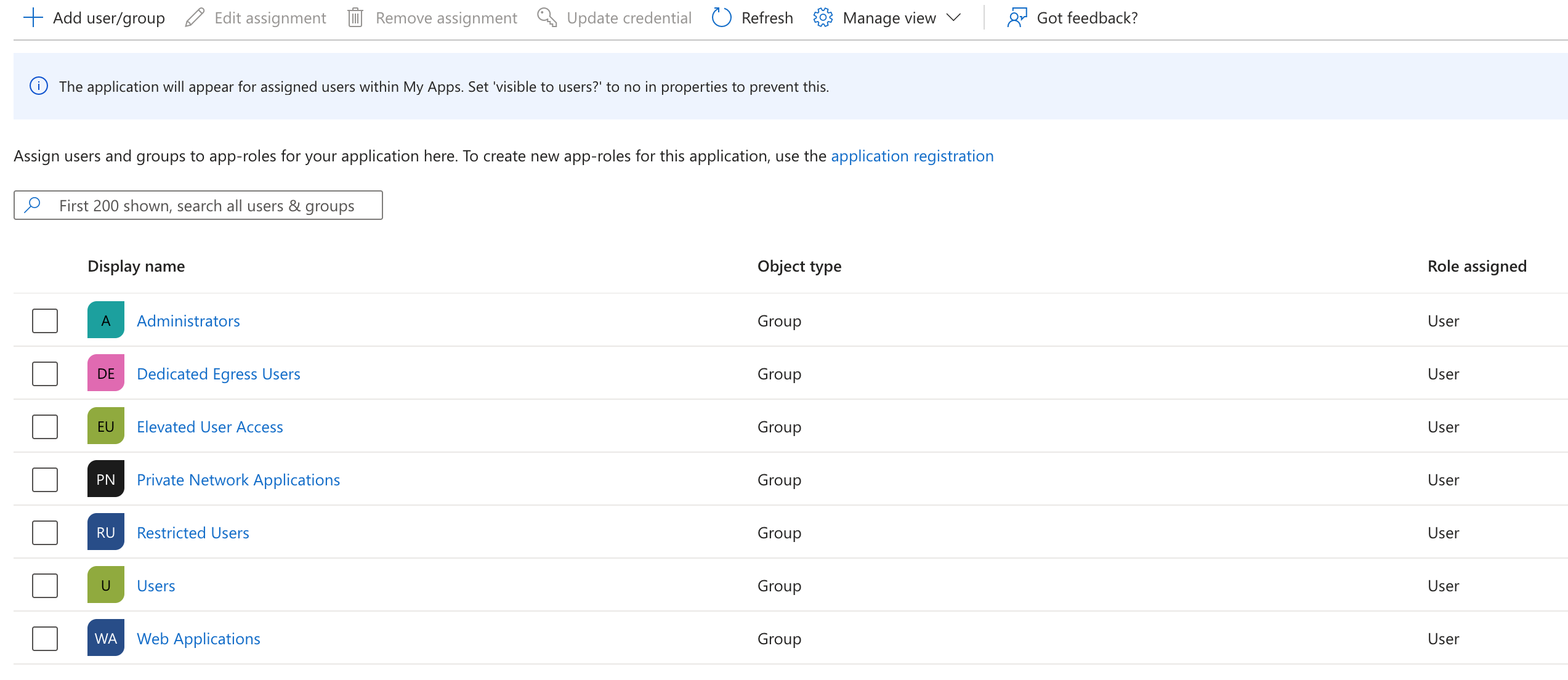
Under Enterprise Application -> Users and Groups, make sure all the relevant users and groups that can be synchronized have been added.
Now, within Gateway or Access policy builder you should be able to select from the a drop down of provisioned SCIM groups:

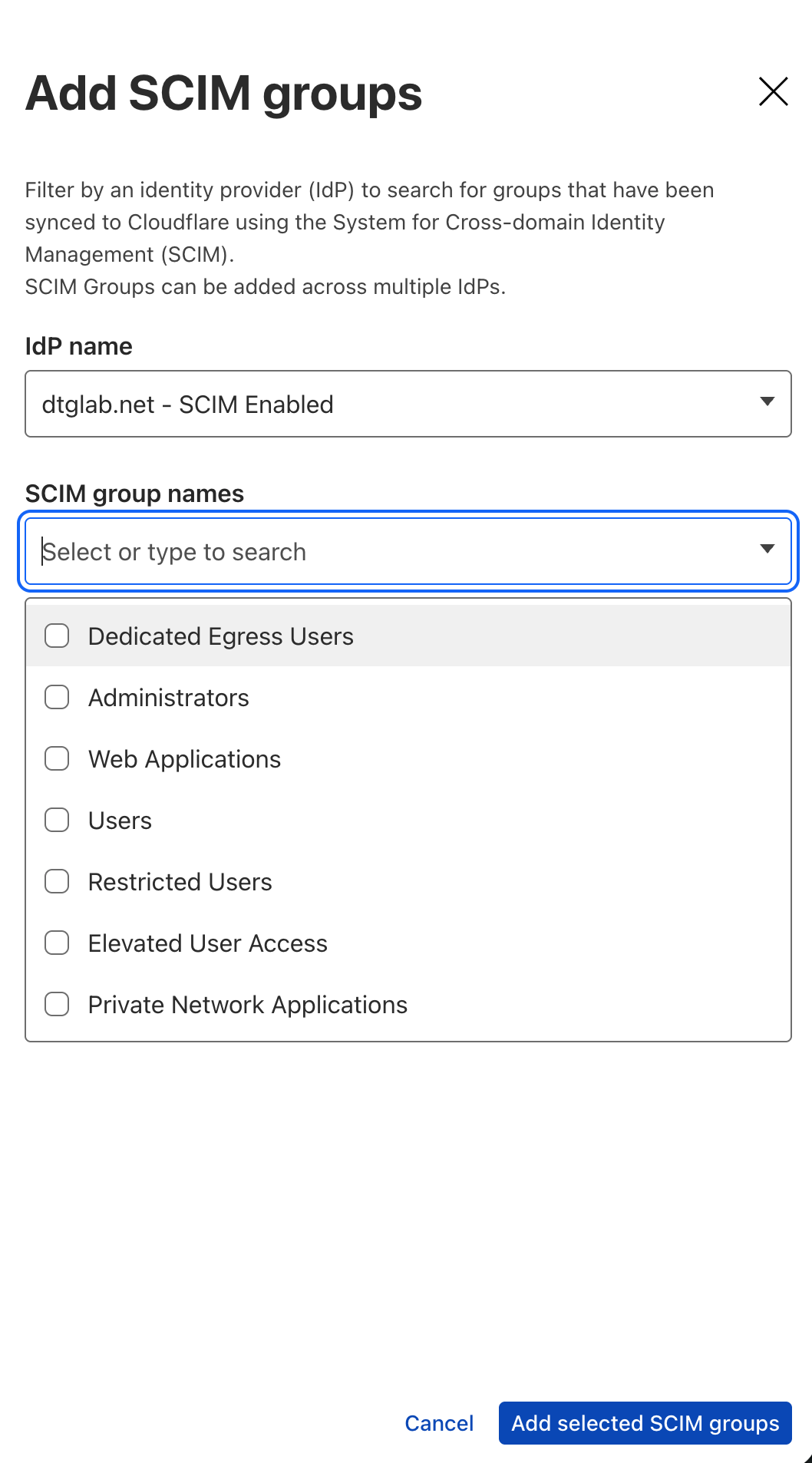

This presents a much cleaner administrator experience over other IdP configurations that would require either manual entry of the group name or GUID.
Related posts


Leave a Comment
Your comment will be reviewed before appearing on the site.
Comments
Be the first to comment on this post!