
Cloudflare DLP to Prevent Data Loss to AI
Preventing Sensitive Data Exposure in AI Tools with Cloudflare Gateway and DLP
AI tools like ChatGPT, Claude, Gemini, and Perplexity are now part of everyday employee workflows. They help developers review code, support teams summarize cases, finance teams analyze spreadsheets, and business users draft content. The risk is that users may accidentally paste sensitive data into public AI services: SSNs, API keys, customer records, financial data, source code, HAR files, or internal business context.
Cloudflare Gateway and Cloudflare One Data Loss Prevention give administrators a practical way to control this risk without blocking AI entirely. The goal is not always "block ChatGPT." A better goal is usually:
Allow approved AI usage, but prevent sensitive data from being submitted to AI tools.
This post walks through how to build that control model using Gateway HTTP policies, DLP profiles, Body Phase, Browser Isolation, OCR, and AI Context Analysis.
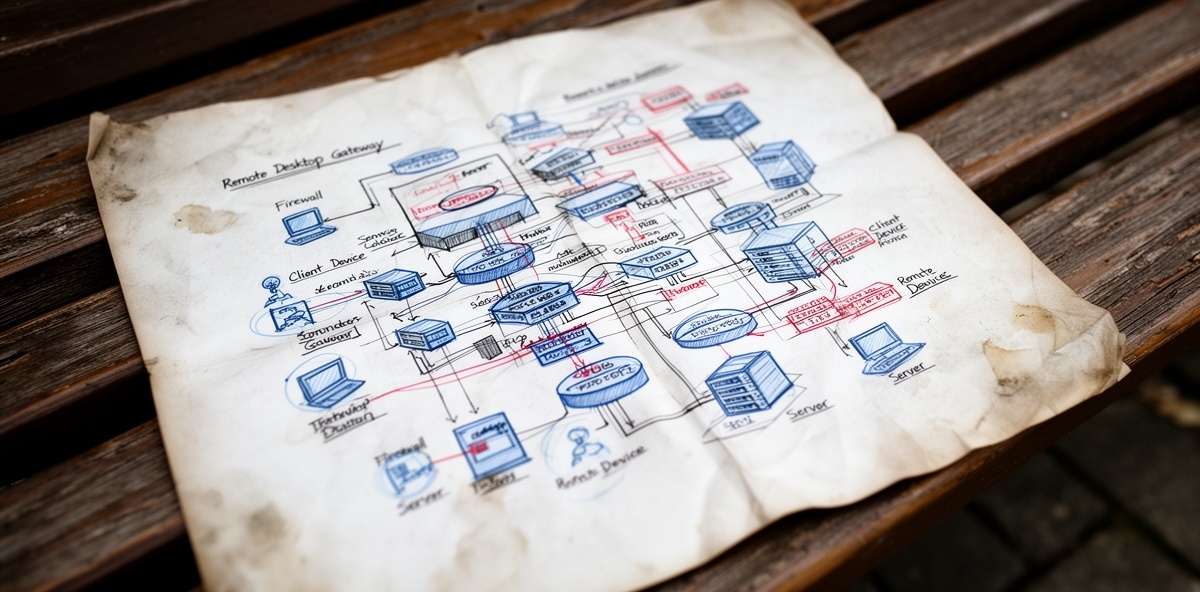
Architecture Overview
A strong Cloudflare AI data protection architecture usually combines several controls:
| Layer | Purpose |
|---|---|
| Cloudflare One Client/WARP | Routes user traffic through Cloudflare Gateway |
| Gateway HTTP filtering | Applies HTTP policies to web and SaaS traffic |
| TLS decryption | Allows Gateway to inspect HTTPS request and response bodies |
| DLP profiles | Detects sensitive data such as SSNs, credentials, source code, and financial data |
| Application Granular Controls | Controls specific app actions like prompt submission or file upload |
| Browser Isolation | Runs high-risk apps in a remote browser |
| AI Gateway | Protects sanctioned AI apps and Workers-hosted AI wrappers |
| Access | Restricts internal AI tools and MCP servers to approved users/devices |
| Logs and Logpush | Supports audit, investigation, and SIEM workflows |
For workforce access to public AI tools, Gateway HTTP policies are the main enforcement point.
For company-built AI applications, especially Workers-hosted AI wrappers, AI Gateway and Access should also be part of the design.
Gateway DLP Prerequisites
To inspect AI prompts and uploads through Gateway, make sure these are in place:
| Requirement | Why It Matters |
|---|---|
| Gateway proxy enabled | Required for HTTP policy enforcement |
| HTTP filtering enabled | Lets Gateway apply HTTP policies |
| TLS decryption enabled | Required to inspect HTTPS request and response bodies |
| Cloudflare certificate installed | Required for decrypted HTTPS inspection |
| DLP profile configured | Required before using the DLP Profile selector |
| Identity provider integrated | Enables user and group-based policy |
| Device posture configured | Enables managed-device requirements |
| Payload encryption key configured | Required for encrypted DLP payload and AI prompt logs |
AI Gateway DLP is different. It inspects AI traffic directly as an AI proxy, so it does not require Gateway HTTP filtering or TLS decryption.
The Most Important Concept: Body Phase
Body Phase controls which direction of HTTP body content DLP scans.
| Body Phase | Meaning | Example |
|---|---|---|
Request Body |
Data sent from user/browser to the app | A user types an SSN into ChatGPT |
Response Body |
Data sent from the app back to the user/browser | A webpage or ChatGPT response contains an SSN |
| No Body Phase selected | Scans both request and response bodies | Can trigger on typed data and page content |
This matters a lot.
If your goal is to stop users from typing or uploading SSNs into ChatGPT, use:
Body Phase = Request Body
If you do not specify Body Phase, DLP may also inspect response bodies. That means Gateway can trigger when a normal webpage loads and happens to contain something that looks like an SSN.
Example request body:
Please summarize this employee record:
Jane Smith, SSN 123-45-6789
Example response body:
Example SSN format: 123-45-6789
For the first case, blocking makes sense. For the second case, blocking may create noise.
Example: Block SSNs In ChatGPT Prompts Without Blocking ChatGPT
This is a common implementation goal: prevent users from submitting SSNs to ChatGPT, but do not block ChatGPT entirely.
Recommended Gateway HTTP policy:
| Selector | Operator | Value |
|---|---|---|
| Application | is | ChatGPT |
| DLP Profile | in | Social Security, Insurance, Tax, and Identifier Numbers |
| Body Phase | is | Request Body |
Action:
Block
If Application Granular Controls are available, make it even more precise:
| Selector | Operator | Value |
|---|---|---|
| Application | is | ChatGPT |
| Controls | in | Prompt or SendPrompt |
| DLP Profile | in | Social Security, Insurance, Tax, and Identifier Numbers |
| Body Phase | is | Request Body |
Action:
Block
This allows ChatGPT to load and operate normally, but blocks prompt submissions that contain SSN-like data.
Test prompt that should be blocked:
Summarize this employee record: John Smith, SSN 123-45-6789.
Test prompt that should be allowed:
Explain what an SSN is and why companies should protect it.
If the second prompt is blocked, review the enabled detection entries in the SSN profile. The Social Security Number Text entry can match words like SSN or social security, which may be noisier than numeric SSN detection.
For stricter SSN handling, create a custom DLP profile that only includes:
United States SSN Numeric Detection
Using Browser Isolation With DLP
Some customers isolate ChatGPT while also applying DLP. This is a valid pattern, but policy behavior can be confusing.
Gateway HTTP policies are evaluated broadly in this order:
| Order | Policy Type |
|---|---|
| 1 | Do Not Inspect |
| 2 | Isolate |
| 3 | Allow, Block, Do Not Scan |
| 4 | HTTP body inspection, including DLP |
That means an Isolate ChatGPT policy can route ChatGPT into Browser Isolation first. A separate DLP block policy still needs to evaluate the prompt submission traffic.
Recommended policy model:
| Priority | Policy | Action |
|---|---|---|
| 1 | Isolate ChatGPT | Isolate |
| 2 | Block SSNs in ChatGPT prompts | Block |
| 3 | Allow sanctioned ChatGPT usage | Allow |
| 4 | Block other AI tools | Block |
The DLP policy should not use Isolate as the action. It should usually be an Allow policy for logging or a Block policy for enforcement.
Also make sure there is no broad Do Not Inspect or Do Not Scan policy for ChatGPT, because those can prevent DLP from operating as intended.
Recommended Baseline AI Policy Pack
A practical customer policy set often looks like this:
| Priority | Policy | Conditions | Action |
|---|---|---|---|
| 1 | Allow internal AI wrapper | Host is ai.company.com; approved group; managed device |
Allow |
| 2 | Enforce ChatGPT tenant | Application is ChatGPT; approved group; add workspace header |
Allow |
| 3 | Block secrets in AI prompts | AI app + Credentials and Secrets + Request Body |
Block |
| 4 | Block SSNs in ChatGPT prompts | ChatGPT + SSN profile + Request Body | Block |
| 5 | Block regulated data to AI | AI category + PII/Financial/Customer DLP + Request Body | Block |
| 6 | Block AI file uploads | ChatGPT/Claude/Gemini + Upload control | Block |
| 7 | Isolate AI for contractors | AI category + contractor group | Isolate |
| 8 | Log lower-confidence detections | Approved AI apps + DLP profiles | Allow + logging |
| 9 | Block unsanitized HAR uploads | Unsanitized HAR profile + Request Body |
Block or Redirect |
| 10 | Block unsanctioned AI | Content category is Artificial Intelligence |
Block |
Tenant Control For ChatGPT Business
If the customer uses ChatGPT Business or Enterprise, Gateway can enforce tenant control by injecting the workspace header.
Policy:
| Selector | Operator | Value |
|---|---|---|
| Application | in | ChatGPT |
Action:
Allow
Add header:
| Header | Value |
|---|---|
Chatgpt-Allowed-Workspace-Id |
Customer's workspace ID |
This helps prevent users from authenticating to personal ChatGPT workspaces from managed devices.
Predefined DLP Profiles To Know
Cloudflare provides several predefined DLP profiles that are useful for AI governance.
| Profile | Detects | Example |
|---|---|---|
Credentials and Secrets |
API keys, cloud keys, SSH keys, Cloudflare tokens | -----BEGIN OPENSSH PRIVATE KEY----- |
Financial Information |
Credit cards, routing numbers, IBANs | 4111111111111111, 021000021 |
Unsanitized HAR |
HAR files containing cookies, auth headers, tokens | HAR with Authorization: Bearer ... |
Health Information |
FDA drug names, active ingredients, ICD-10 descriptions | metformin, Type 2 diabetes mellitus |
PII Record |
Multiple PII elements in proximity | Name + email + address + SSN |
Social Security, Insurance, Tax, and Identifier Numbers |
SSNs and national identifiers | 123-45-6789 |
Source Code |
Code in supported languages | Python, JavaScript, Go, Java, Rust, Swift |
Cloudflare also provides AI prompt profiles:
| AI Prompt Profile | Detects |
|---|---|
AI Prompt: AI Security |
Jailbreaks, malicious code requests, attempts to extract PII |
AI Prompt: Customer |
Customer names, projects, confidential customer context |
AI Prompt: Financial Information |
Financial numbers and confidential financial context |
AI Prompt: PII |
Personal data or requests for personal data |
AI Prompt: Technical |
Source code and proprietary technical information |
These are especially useful with Application Granular Controls on supported AI apps.
OCR In DLP
OCR stands for Optical Character Recognition.
In Cloudflare DLP, OCR allows DLP to inspect text inside supported image files that users upload.
Supported OCR file types:
| Item | Support |
|---|---|
| File types | .jpg, .jpeg, .png |
| File size | 4 KB to 1 MB |
| Encoding | UTF-8, including non-Latin characters |
Example:
A user uploads a screenshot to ChatGPT containing:
Employee: Jane Smith
SSN: 123-45-6789
With OCR enabled, DLP can extract the text from the image and apply the SSN profile.
Useful OCR use cases:
| Use Case | Why OCR Helps |
|---|---|
| Screenshot of SSN uploaded to ChatGPT | Detects SSN text inside the image |
| Screenshot of an API key | Detects secrets in an image |
| Photo of a customer form | Detects PII in an uploaded image |
| Screenshot of financial data | Detects card or account details if readable |
OCR expands what DLP can see. It is not a full image-understanding engine; it extracts readable text from supported images.
AI Context Analysis
AI Context Analysis improves DLP accuracy by analyzing the context around a detection.
Traditional DLP may find a pattern like:
123-45-6789
That looks like an SSN. But context determines confidence.
Higher-confidence example:
Employee SSN: 123-45-6789
Lower-confidence example:
Test format example: 123-45-6789
AI Context Analysis uses a pretrained model to evaluate surrounding context and adjust the confidence level of the match.
Cloudflare redacts matched text first, then converts surrounding context into vector embeddings. Those embeddings are submitted to Cloudflare Workers AI and stored in private user-specific namespaces for up to six months with hit counts and false-positive/true-positive feedback.
In practical terms:
| Feature | Purpose |
|---|---|
| OCR | Finds sensitive text inside images |
| AI Context Analysis | Improves confidence scoring by evaluating surrounding context |
OCR expands visibility. AI Context Analysis reduces false positives.
Confidence Threshold Strategy
Cloudflare DLP supports confidence thresholds:
| Threshold | Behavior |
|---|---|
| Low | Most inclusive, more false positives |
| Medium | More validation, fewer false positives |
| High | Strongest contextual validation, least false positives |
A good deployment model is to split monitoring and enforcement:
| Policy | Confidence | Action |
|---|---|---|
| Log possible sensitive data | Low or Medium | Allow + payload logging |
| Block high-confidence sensitive data | High | Block |
This gives security teams visibility without immediately disrupting users.
Logging And Investigation
Cloudflare DLP supports several logging options:
| Logging Type | Captures | Notes |
|---|---|---|
| Payload logging | Redacted match plus surrounding context | Encrypted with customer public key |
| AI prompt logging | Prompt topic, user prompt, model response | Encrypted with customer public key |
| DLP forensic copies | Complete HTTP request | Enterprise; sent to Logpush destination |
Payload logs are especially useful for tuning DLP policies.
By default, matched content is masked. For example:
123-45-6789
may appear as:
***-**-****
Masking options include:
| Option | Example |
|---|---|
| Full Mask | ***-**-**** |
| Partial Mask | ***-**-6789 |
| Clear Text | 123-45-6789 |
Use clear text carefully. Payload logs can contain highly sensitive data.
Common Implementation Mistakes
| Mistake | Impact | Fix |
|---|---|---|
| Leaving Body Phase unset | DLP triggers on responses and page loads | Use Request Body for exfiltration prevention |
| Blocking all ChatGPT | Poor user experience | Block sensitive prompt submissions instead |
| Using broad SSN profile without tuning | False positives on SSN text |
Use numeric SSN-only custom profile if needed |
| Putting broad Allow above DLP Block | DLP may not behave as expected | Put specific DLP block policies above broad allows |
| Using Do Not Inspect for AI apps | Bypasses DLP inspection | Avoid or tightly scope exceptions |
| Not enabling TLS decryption | DLP cannot inspect HTTPS bodies | Enable TLS decryption and deploy certificate |
| Not testing inside Isolation | Misses real isolated prompt behavior | Submit test prompt inside isolated browser |
| Logging sensitive data without controls | Creates data exposure risk | Use encryption, masking, and least privilege |
Recommended Deployment Path
Final Recommended SSN Policy
For the original use case, the cleanest policy is:
Application = ChatGPT
AND DLP Profile = Social Security, Insurance, Tax, and Identifier Numbers
AND Body Phase = Request Body
Action = Block
If available:
AND Control = Prompt / SendPrompt
This prevents users from submitting SSNs to ChatGPT without blocking all of ChatGPT and without triggering on random SSNs displayed on webpages or AI responses.
That is the right model for AI governance with Cloudflare Gateway: precise controls, scoped inspection, and progressive enforcement rather than blunt blocking.
Related posts

Leave a Comment
Your comment will be reviewed before appearing on the site.
Comments
Be the first to comment on this post!